
What's New in Helm CONNECT 1.36?
Our latest release is here, and it's a brighter, more accessible Helm CONNECT. Alongside the first wave of our 2026 brand refresh, we've added French and Italian, and made meaningful updates across our Compliance, Logistics, Personnel, and Analytics product lines. From a fresh new look to faster document search, it's all about making everyday work a little easier. Here's a look at what's new.
A Brighter, More Accessible Helm CONNECT
The first thing you'll notice in Version 1.36 is the fresh new look. This release brings the first wave of our 2026 brand refresh, built around our review of Helm CONNECT against WCAG 2.2 AA accessibility guidelines. We refreshed contrast, colors, and visual cues for better clarity and readability, which makes a real difference in the high-demand environments where maritime crews work.
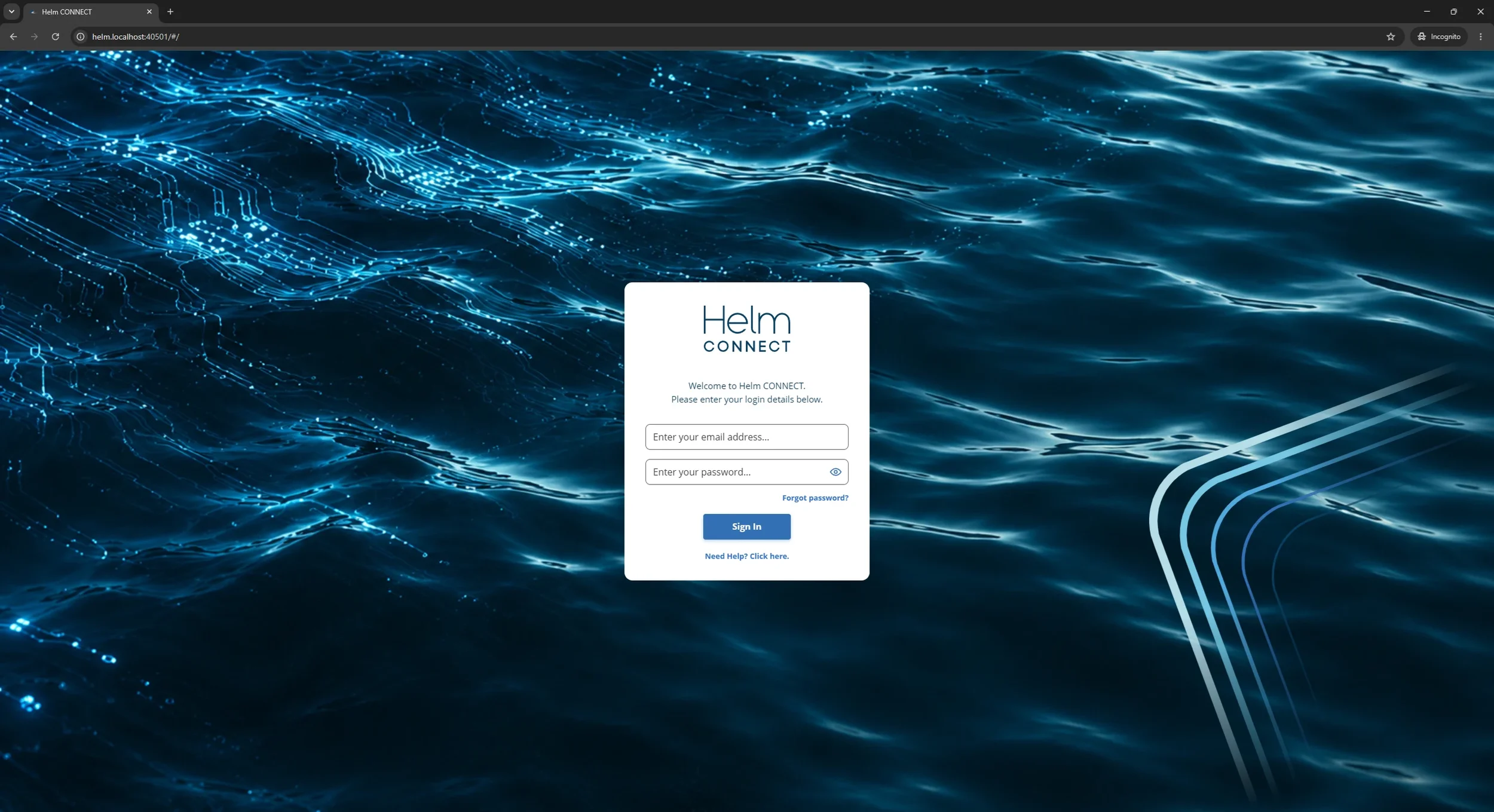
You may have already spotted the new login screen, with its cleaner, more modern design. If your organization uses SAML, the SAML button now appears first, so single sign-on is the primary path. The menu panel has a fresh look too, with new module icons and colors, a deeper Midnight Blue background, and clearer hover and selected states. Night mode also got some love. Screens that already supported it now match the refreshed look, and several more screens support night mode for the first time.
We also slipped in a few fun surprises, but we'll let you find those on your own.
Want the story behind the accessibility work? Read our blog post, Through the Spyglass: Improving Accessibility and Consistency in Helm CONNECT.
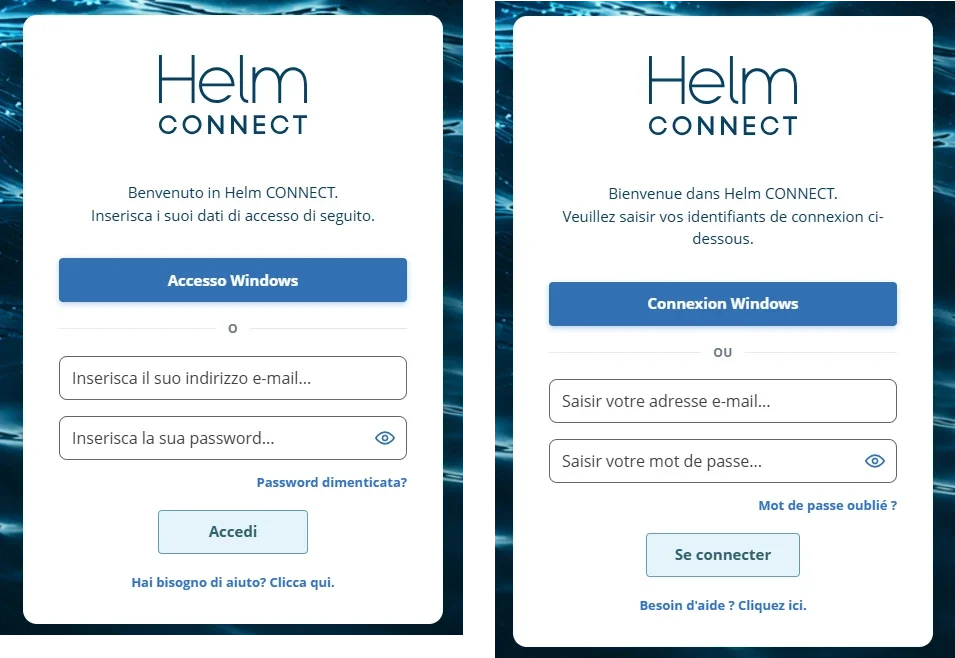
Now Available in French and Italian
You can now use Helm CONNECT with the interface in French or Italian, so more of your crew can work in the language they're most comfortable with.
What's New in Helm CONNECT Compliance?
When the document you need is buried in a library of thousands, finding it fast matters. So we gave document search a serious upgrade. Search on the Library and Library (Beta) tabs now looks inside the full text of your published PDFs, not just their titles. Type what you're after, and Helm CONNECT surfaces the documents that match. Open one, and it opens right at your first match, highlighted. No more hunting for the exact title or remembering where a document lives, so your crew can find the right procedure faster.
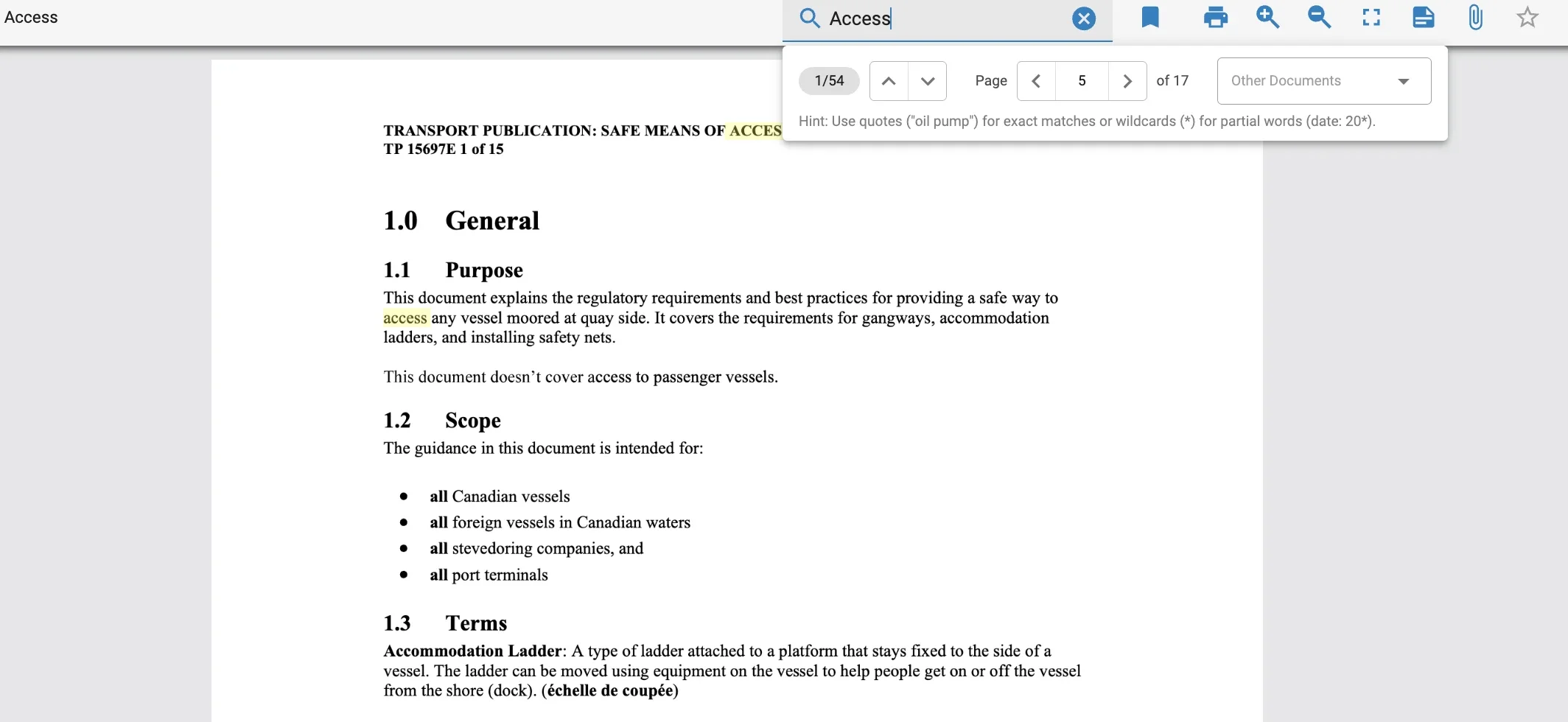
Search one word or several, wrap a phrase in quotes to match it exactly, or use as a wildcard. Search ignores case and accents, and title matches rank higher. The same smarter search now works inside an open document too. One small change to know about: if you used to find words by typing just the start of them, you'll now need to add a . For example, search "mon*" to find "monday."
After you upgrade, give us a few hours to make your existing documents searchable. We'll be reading every page so you don't have to.
For the full story, read our blog post, A Document You Can't Find Might as Well Not Exist
What's New in Helm CONNECT Logistics?
Logistics customers get a healthy round of improvements, too, most of them about saving time and cutting out busywork. You can now manage all the voyages that fulfill an order from a new Voyages sub-tab, duplicate a voyage instead of rebuilding it, and track manual invoices with your own configurable, color-coded statuses. You can also print Traffic Reports right from the Traffic tab, bill long-term contracts semiannually or annually, and record an asset's position in your logbook, along with a handful of smaller touches across dispatch and the logbook.
What's New in Helm CONNECT Personnel?
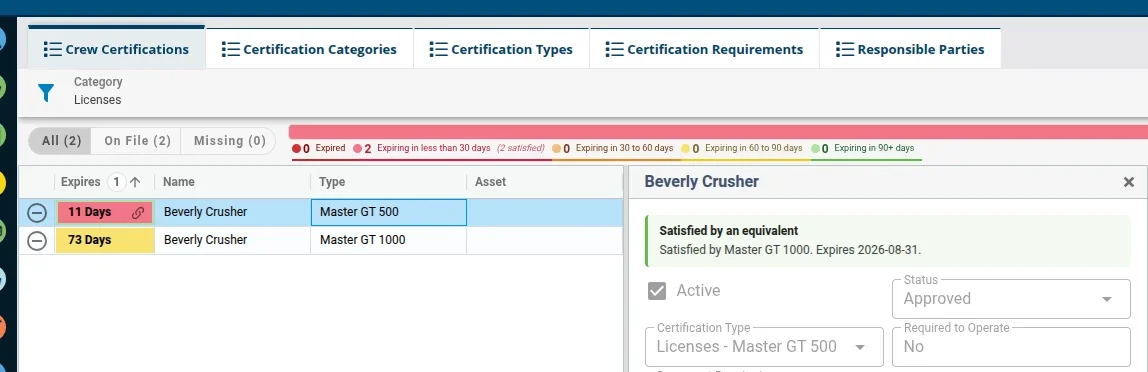
If you've set up certification equivalencies, this one's for you. When a crew member holds a certification you've configured as an equivalent, it now counts toward the requirement it covers. No more false gaps flagging people as missing a certification they effectively have, keeping your compliance views accurate.
On the Crew Certifications tabs, a new Satisfied indicator marks any certification covered by an equivalent, and a new Equivalency filter lets you hide those or show only them. Select a certification, and a banner tells you exactly which one covers the requirement.
What's New in Helm CONNECT Analytics?
Analytics gets a major update this release, with two brand-new dashboards, one fully rebuilt one, and a long list of smaller improvements to help you spot problems faster, plan procurement, and make sharper decisions across your fleet. The headliners:
A new Requisitions dashboard (Maintenance Pro) brings your fleet's requisitions into one place, so you can see what's piling up, which vendors have the most pending orders, where you can find better pricing, and how long requisitions sit in each status.
A new Inventory dashboard (Maintenance Pro) gives you a clear read on inventory health and value, from out-of-stock and below-minimum parts to overstock and the worth of what's on each asset.
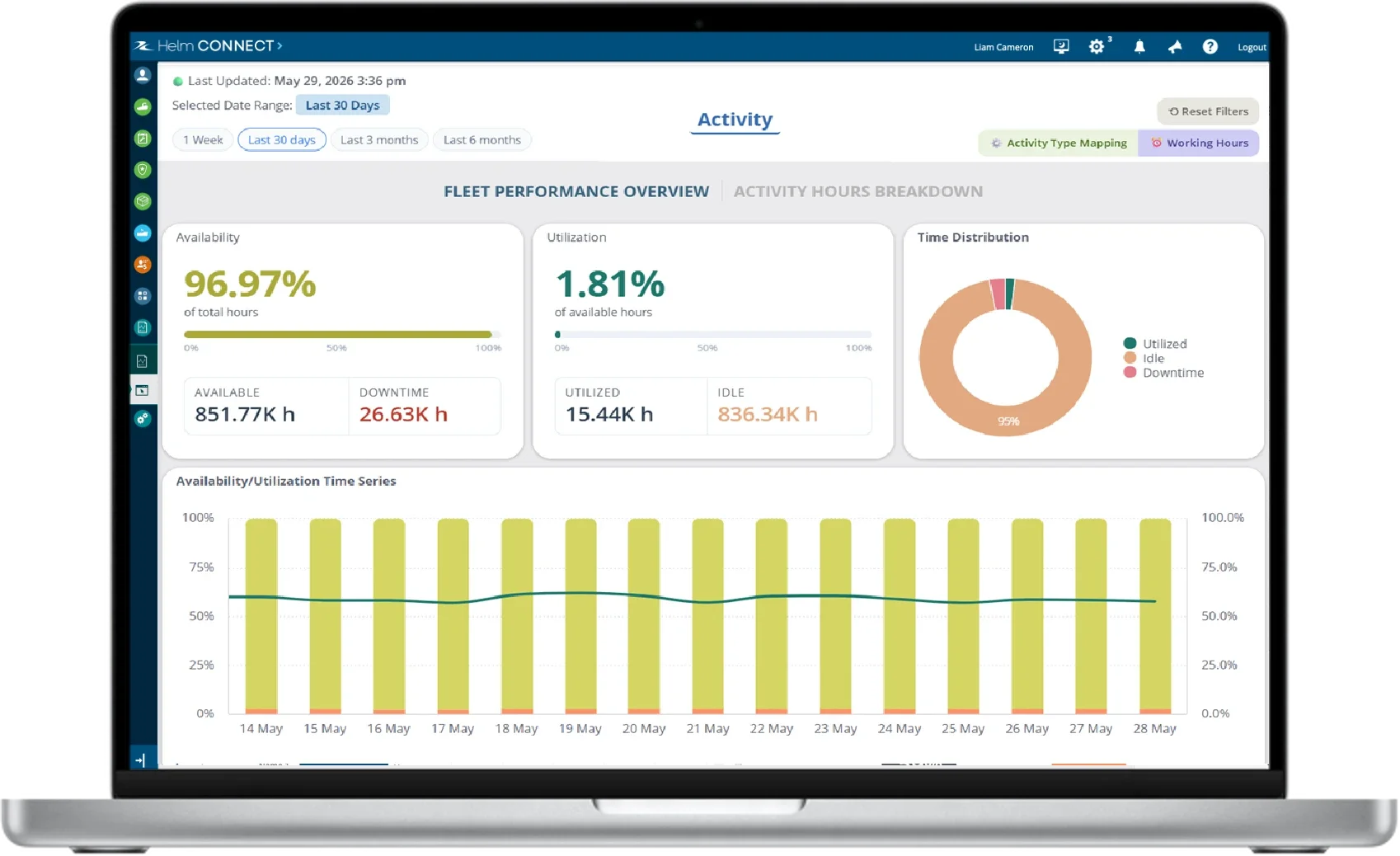
A rebuilt Vessel Utilization Activities dashboard (Logistics Pro) offers deeper insight into fleet availability, utilization, and downtime, with new activity groups and a day-by-day breakdown of where the hours actually go.
We also polished several existing dashboards and added two improvements you'll feel everywhere: your dropdown and button selections now save and restore when you refresh, and your image and CSV exports now reflect your active selection instead of the default.
For all the details, read the full Through the Spyglass: Smarter Dashboards and Sharper Insights Coming to Helm CONNECT Analytics post.
These are just some of the highlights in Helm CONNECT 1.36. For all the details, be sure to read the full release notes, and don't forget to subscribe to our newsletter to stay up to date with the latest Helm news.
Save $200 on Helm Conference 2026 Before July 31
There's still time to save $200 on Helm Conference 2026, but not for long. Register before July 31 to lock in early bird pricing, then join us October 20 to 22 at the Fairmont Empress in Victoria, BC. For the full rundown, read our blog post, Helm Conference 2026 Early Bird Tickets Are Live — Here's Everything You Need to Know.